Pomodoro Timer with Reports, Projects and Tasks
A basic Pomodoro timer is great for getting started. Twenty-five minutes on, five minutes off, repeat. The problem is that after a week of sessions, you still don’t really know what you spent that focus time on, which projects ate the most hours, which tasks kept coming back, or whether you actually focus better in the morning.
That’s why I built reports into pomodorotimer.work. It’s a Pomodoro timer with projects, tasks, and proper reporting baked in.
Projects and tasks, not just a clock
Before reports are useful, you need something worth reporting on. Each focus session can sit under a project, and you can attach the tasks you were working on while the timer was running.
That sounds small, but it changes the habit. Instead of finishing a Pomodoro and forgetting what it was for, you’ve got a trail: this block was Project A, those twenty-five minutes went into Task B. Over time that becomes the raw material for every chart on the reports page.
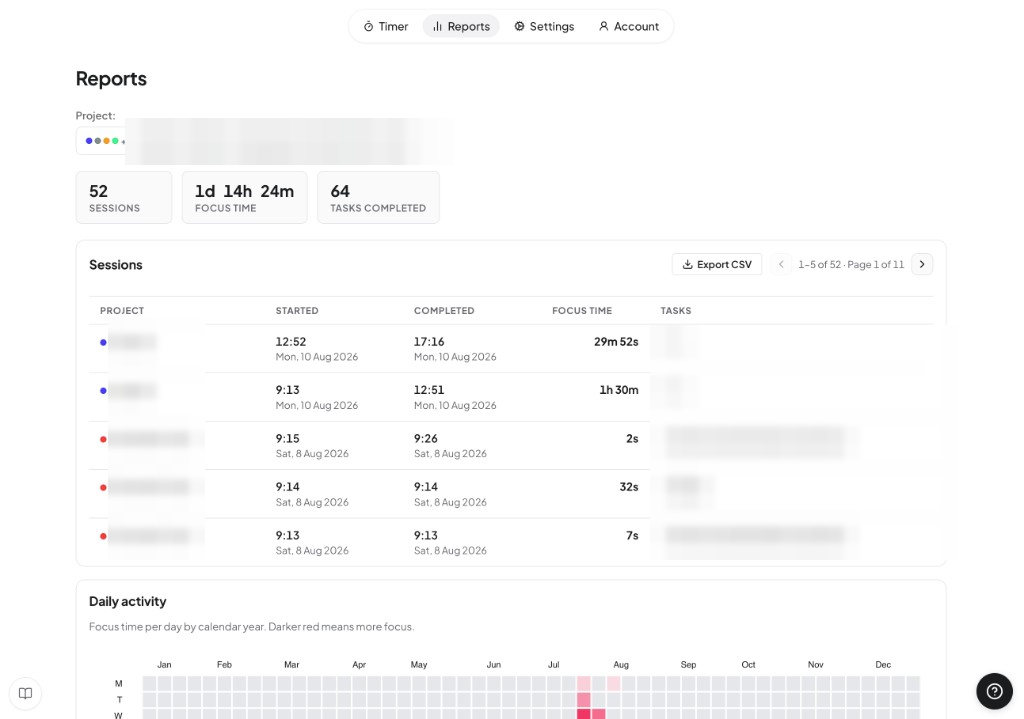
At the top you get the simple numbers: how many sessions you’ve done, total focus time, and tasks completed. Underneath is a full sessions table — started, completed, focus duration, linked tasks — with CSV export if you want the data elsewhere. The daily activity heatmap works a lot like a contribution graph: darker means more focus that day.
Where your focus time goes by project
Once sessions are tagged with projects, the obvious question is “which ones ate the week?” The time-by-project chart answers that with a share of your total focus time, so you can see at a glance whether one project is quietly swallowing everything else.
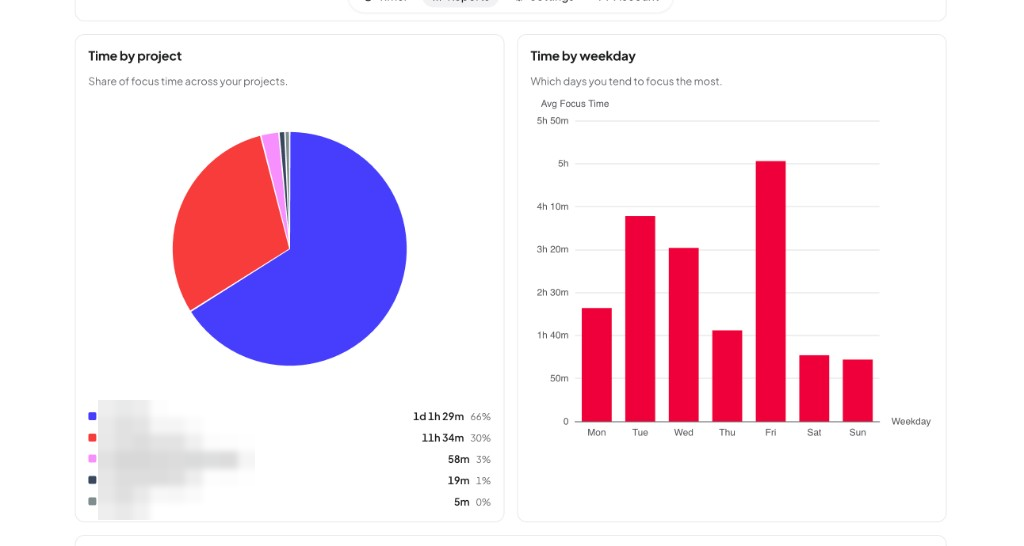
Next to it, time by weekday shows which days you tend to focus the most. It’s useful for planning — if Fridays are consistently strong and Mondays are quiet, you can stop pretending every day is the same and schedule deep work where it actually sticks.
Patterns across the day, week, and history
Reports aren’t only about totals. They’re also about patterns you’d miss if you only looked at today’s timer.
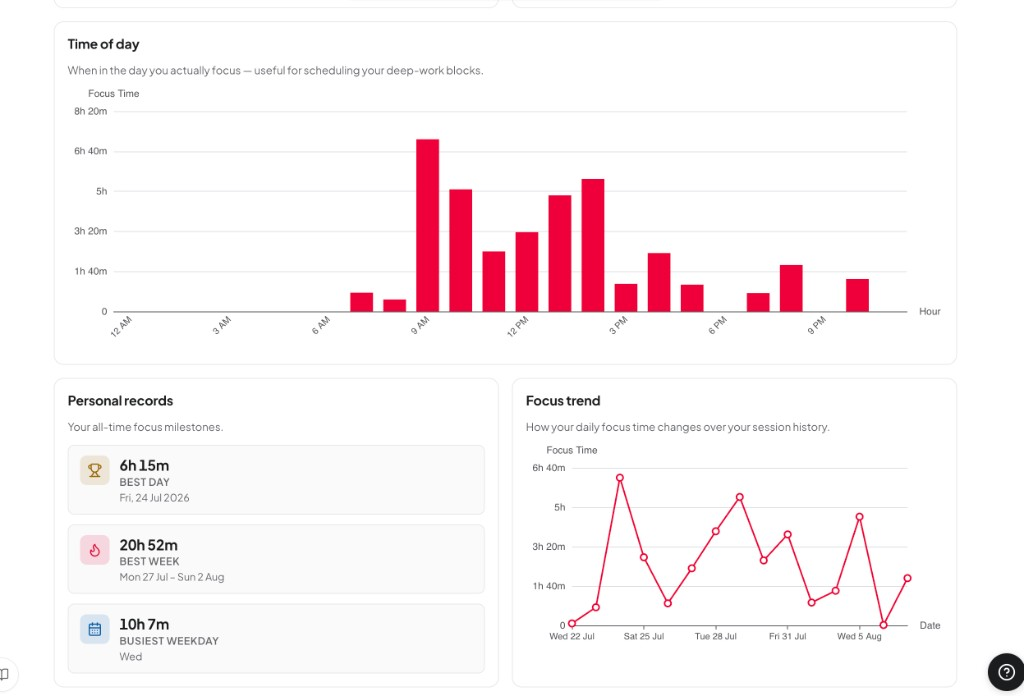
Time of day shows when you actually focus — handy if you’re trying to protect a deep-work block instead of guessing. Personal records keep the milestones visible: best day, best week, busiest weekday. Focus trend plots daily focus time across your session history so you can spot streaks, dips, and whether things are drifting up or down.
Tasks that keep showing up
Because sessions can include tasks, the reports can also show which tasks appeared in the most focus sessions, and how many tasks you’ve checked off over time.
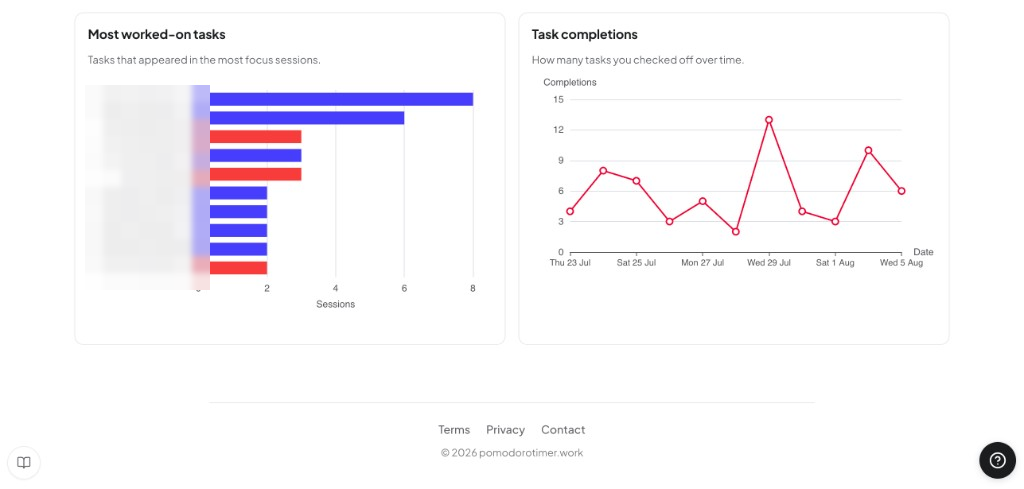
This is the bit a plain kitchen timer can’t do. You can see which tasks keep eating Pomodoros (the ones that “shouldn’t take long”), and whether you’re actually finishing things or just staying busy.
Why reports make the technique stick
The Pomodoro Technique already helps by giving work an edge: focus for a set stretch, then stop. Reports add accountability after the fact. If something took eight sessions instead of two, you’ll see it. If weekends fall off a cliff, you’ll see that too. Motivation gets easier when progress is visible — not as a vague feeling that you “worked hard today”, but as focus time you can point at.
If you’re searching for a Pomodoro timer with reports, projects and tasks, that’s exactly what pomodorotimer.work is built for. Start a session, attach what you’re working on, and let the reports fill in over time.